Requesting Semester Accommodations / Faculty Memos
Students must be registered for classes before requesting semester accommodations. Please allow 24 to 48 hours for your classes to appear in Accommodate before making your request.
Students may request their accommodations each semester they are enrolled at Bucks.
Accommodations are not automatically sent to instructors; students must follow the process below:
How to Request Semester Accommodations
Requesting Accommodations Tutorial Video
Accommodate Semester Requests Steps PDF
- Log in to your Student Accommodate System
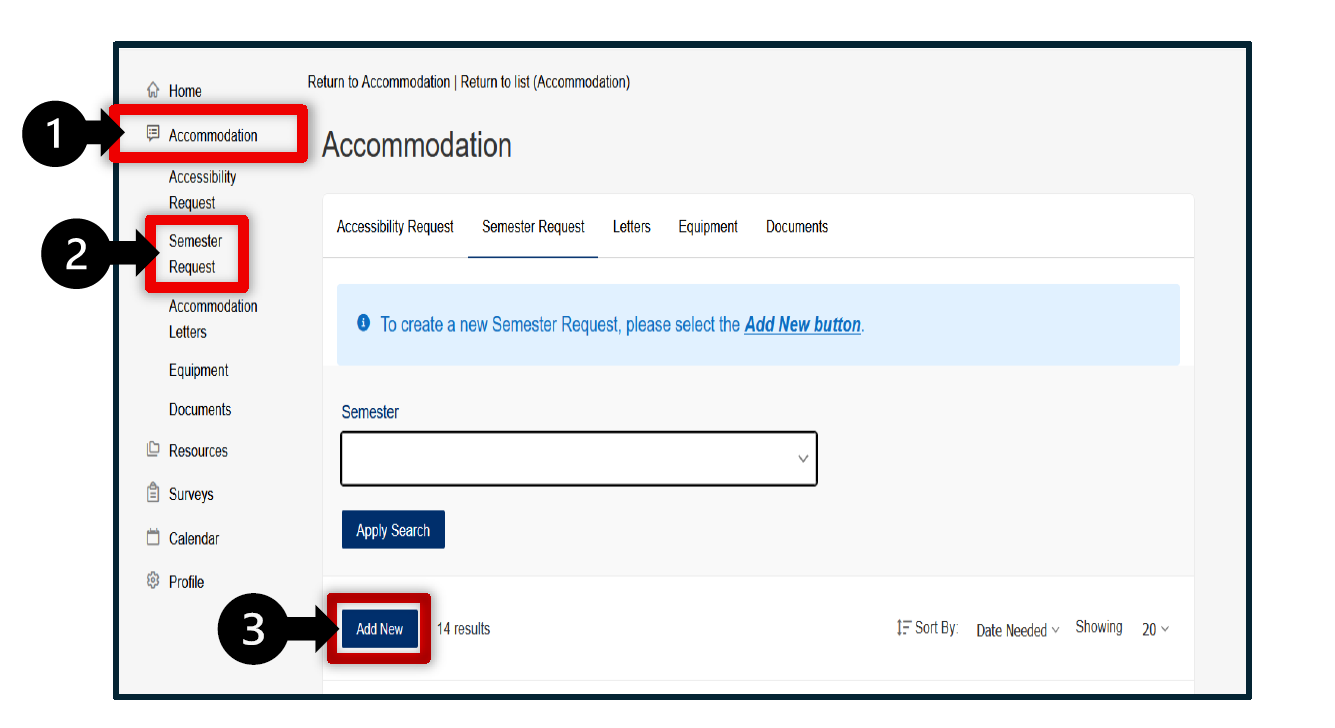
- Navigate to the semester request by clicking Accommodation, Semester Request, and the Add New button. Your approved accommodations display at the top of the window.
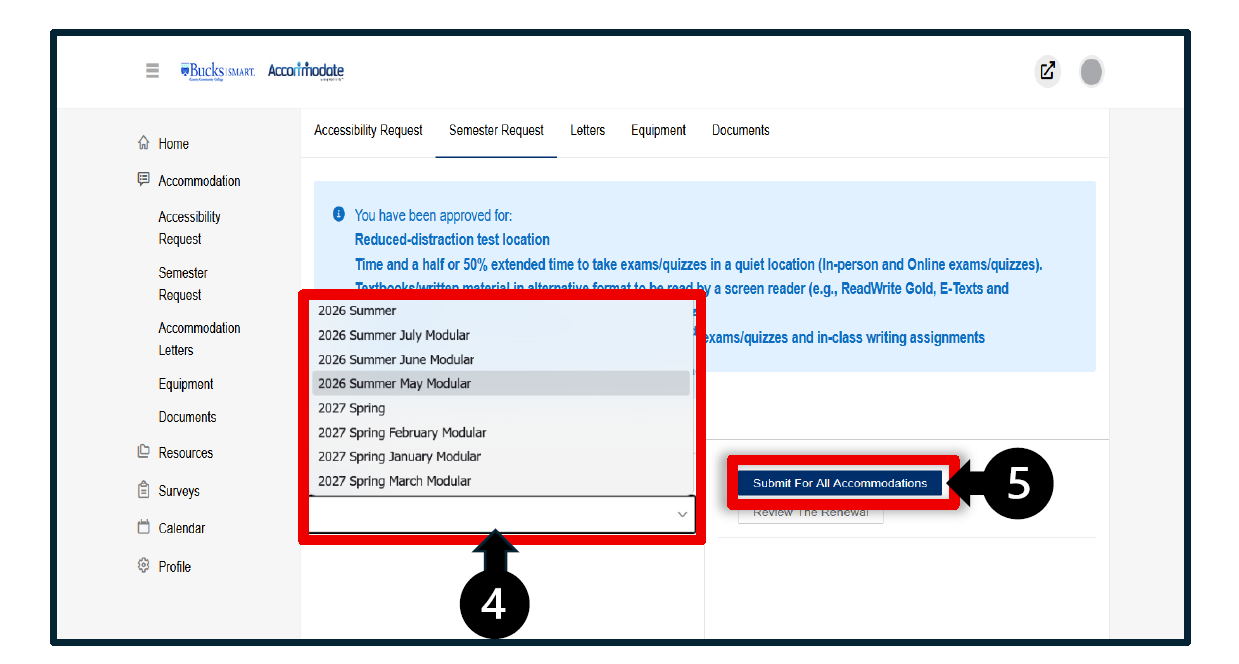
- Choose the semester from the drop-down list.
- Your registered classes will be listed on the right-hand side.
- Select Submit for all Accommodations.
Accommodation Letters – Faculty Memo
It is the student's responsibility to give the Instructor the Faculty Memo via their Bucks email for accommodations.
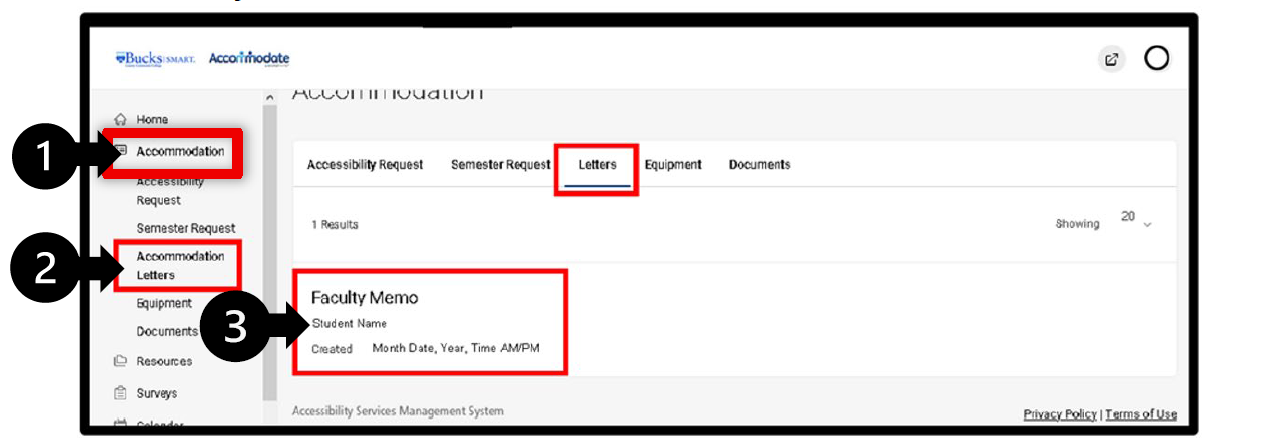
- Go to Accommodation on the left side of the page.
- Select Accommodation Letters in the drop-down menu.
- Click Faculty Memo under the Letters section.
- Navigate to select the Generate PDF button.
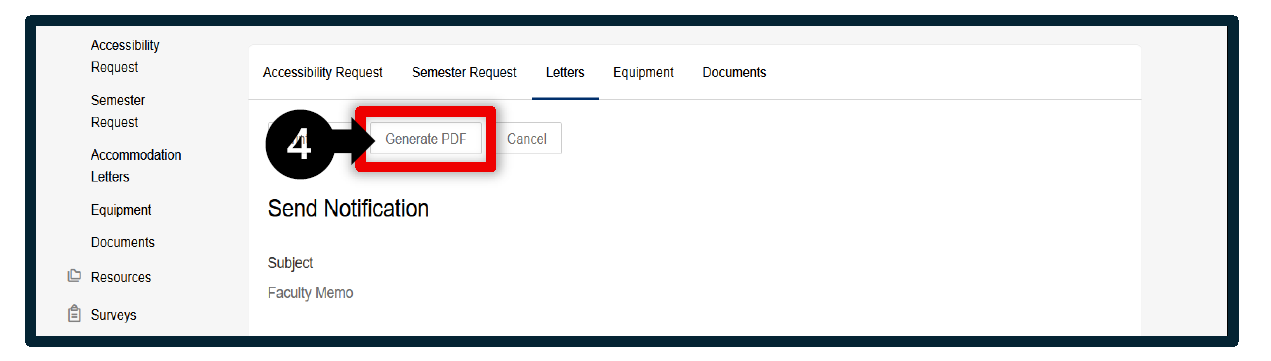
- Select the destination to Save File and click the OK button.
If you have any questions or are in need of assistance, please feel free to contact us at our main number (215) 968-8182 or email us at accessibility@bucks.edu.